Before You Add AI, Fix the Foundation
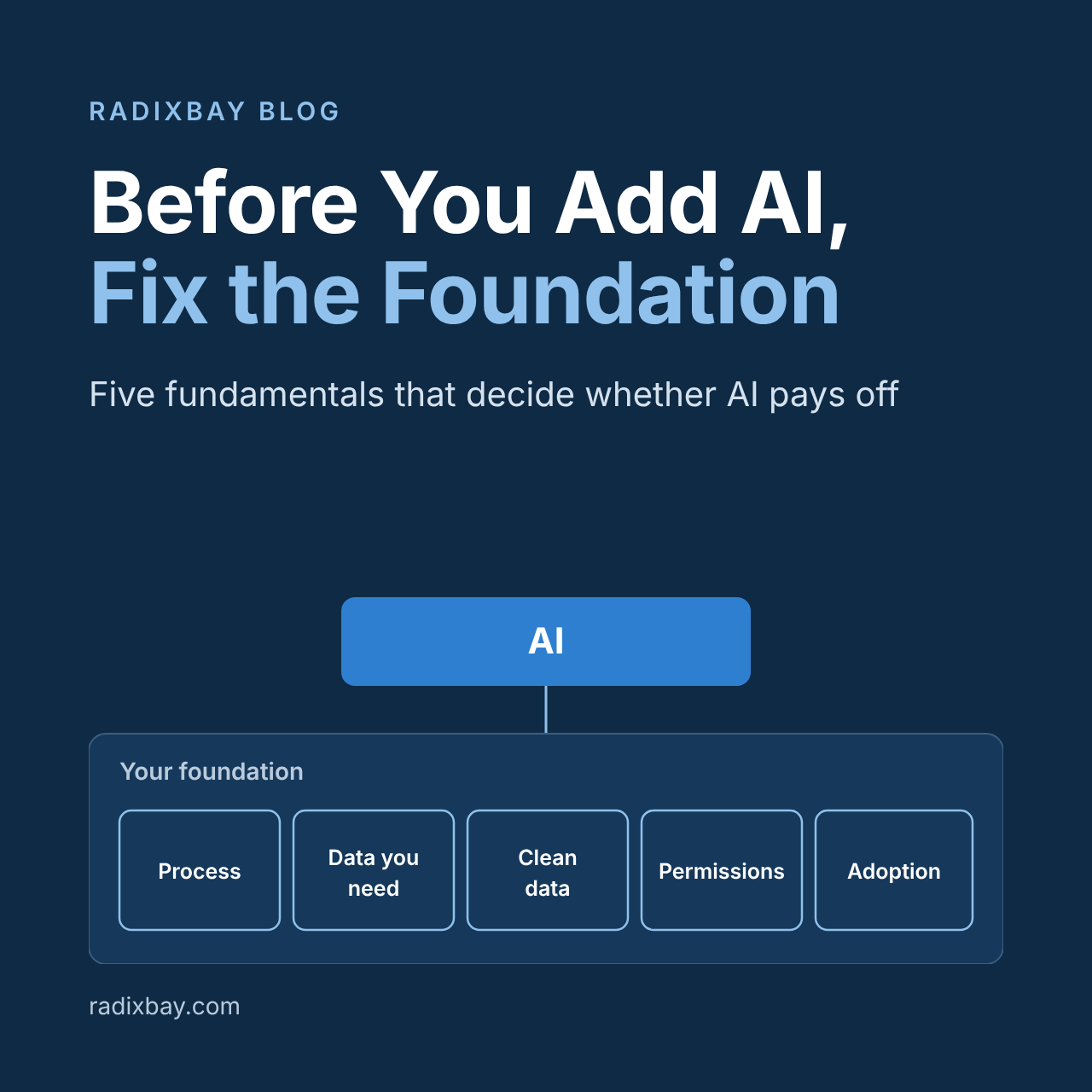
AI doesn’t fix a shaky foundation. It makes the cracks easier to see.
AI amplifies what’s already there
Most stalled AI projects aren’t model problems. They’re process, data, and adoption problems that AI makes visible faster.
The research backs this up. Gartner predicts that over 40% of agentic AI projects will be canceled by the end of 2027, citing escalating costs, unclear business value, and inadequate risk controls. Going into Dreamforce, one industry analysis pointed to Cleveland Research data showing fewer than 1 in 10 Agentforce customers in financial services had moved past proof of concept.
Think about what an AI agent actually does. It reads your records, follows your rules, and acts on your processes. If the process has five unofficial workarounds, the agent learns none of them. If the account record has three duplicates and a blank industry field, the agent’s answer is confidently wrong. If half the team still tracks deals in a spreadsheet, the agent is working from half the picture.
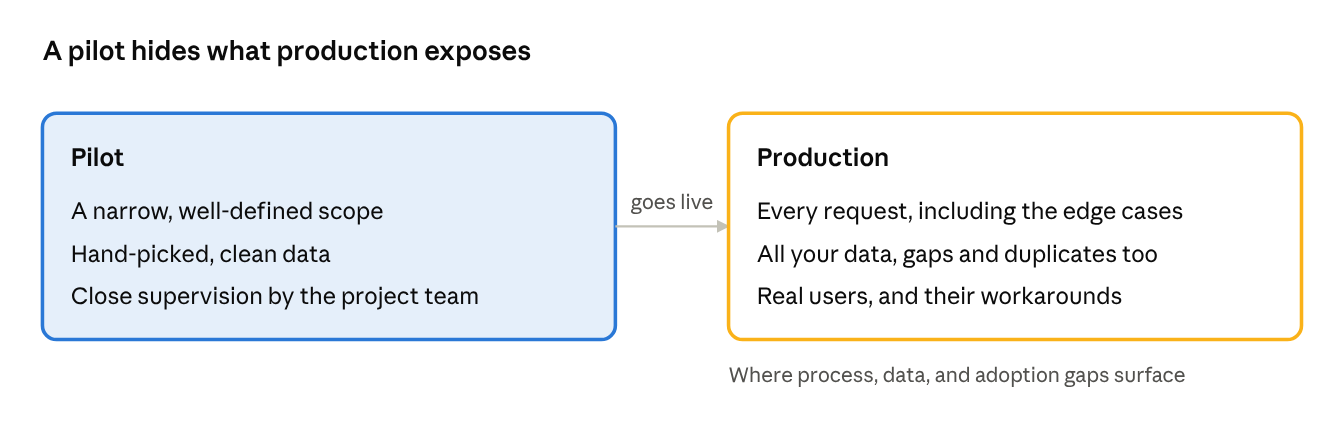
A pilot hides all of this. Pilots run on narrow scope, hand-picked data, and close supervision. Production runs on everything else.
A first win, then a stall
Our own Stuti Trivedi wrote about one of our clients in Start With the Problem: A Practical Guide to Salesforce AI. They built an AI agent in Salesforce that handles appointment calls on its own. It cancels appointments, reschedules when needed, and hands the conversation to a person when a request goes beyond that scope. It saves their call center a lot of time.
That was the right first project. The task is high-volume and predictable, the rules are clear, and it relies on information the business already had.
But that’s where they’ve stopped for now. Other priorities have taken over, and the next steps are more complex. They involve new processes that still need to be defined, older processes and data that were never cleaned up, and a new integration that brings its own data cleanup.
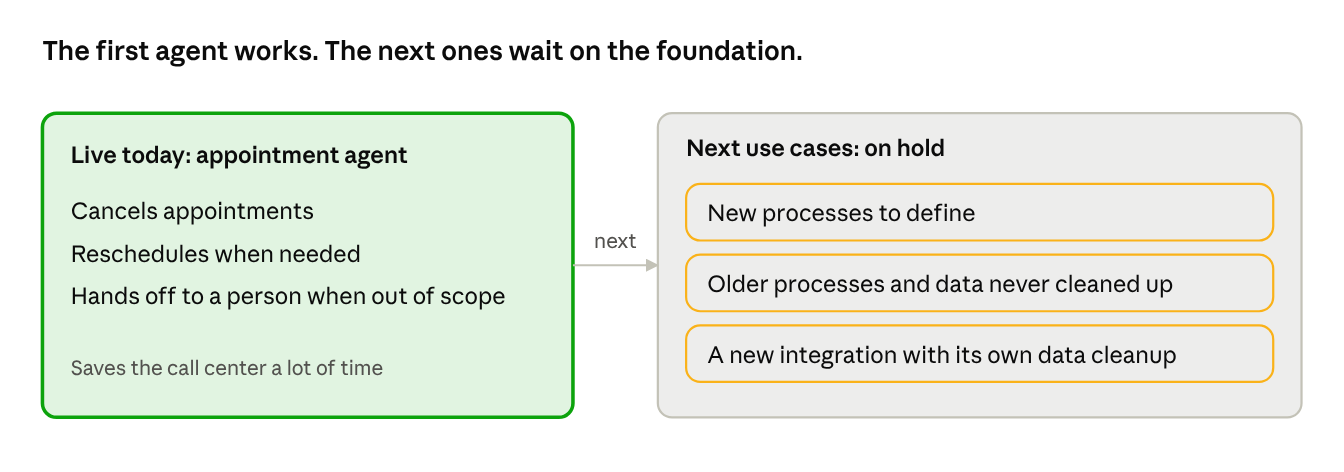
The client’s first agent and what’s holding up the next ones.
That pattern is common. The first use case is often the one where the process and data were already in decent shape. The ones after it run into everything that wasn’t. That’s usually where momentum slows, and where fatigue starts to set in.
The takeaway isn’t to stop at one agent. It’s to start the foundation work for the next use case while the first one is still paying off.
Five fundamentals to get right first
None of these are new, and none of them are glamorous. That’s exactly why they get skipped. And while Dreamforce put the spotlight on Salesforce, the same fundamentals apply to any platform you’re layering AI onto, whether that’s your ITSM tool, your billing system, or your ERP.
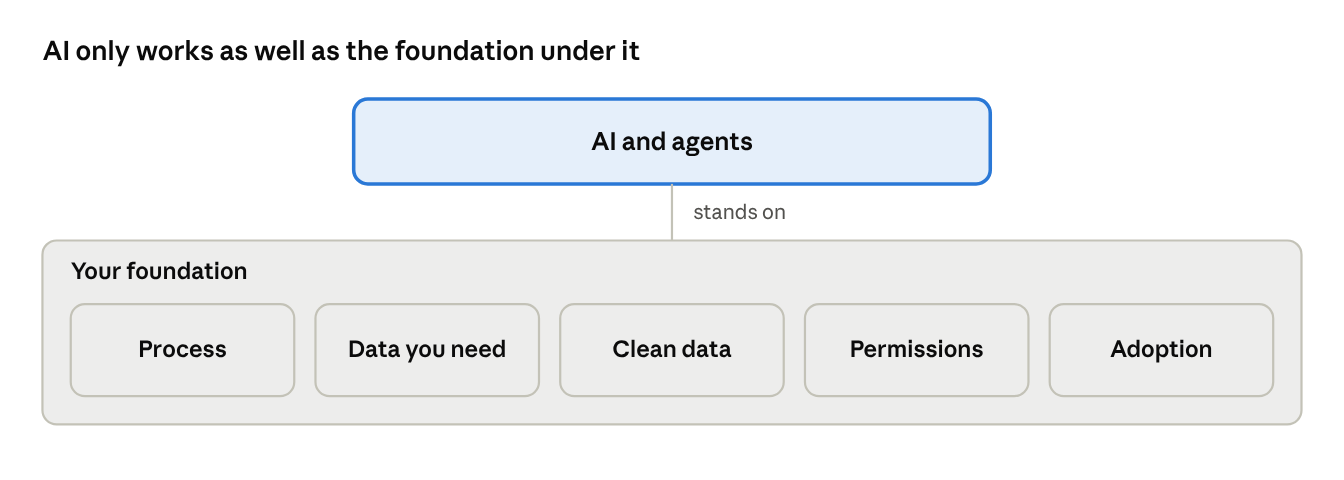
AI on top of five fundamentals
- Revisit the process before you automate it. Map how work actually flows today, not how the 2019 design doc says it flows. Ask who touches each step, where it waits, and which steps exist only because the system couldn’t do something years ago. Automating a broken process just gets you the wrong result faster.
- Decide what data you actually need. Most orgs capture too much of the wrong thing and too little of the right thing. Start from the decisions and outcomes you care about, then work back to the fields that support them. If nobody reports on a field and no process depends on it, question why it’s on the page layout.
Be selective about history. Consider the quality and relevance of the history you include. More data is not always better. Historical records may reflect outdated processes, poor decisions, or patterns you do not want AI to repeat. Review the data for relevance, representativeness, and potential bias before using it to support AI recommendations. - Clean up the data you keep. Merge duplicates, fill or retire half-empty fields, standardize picklists, and fix ownership on orphaned records. Then put rules in place so it stays clean: validation rules, required fields where they matter, and a named owner for data quality. A one-time scrub without governance is back to messy in six months.
- Tighten who can see what. An AI agent generally sees what its user can see, and it surfaces that data far faster than a person clicking through records. Stale profiles, over-broad sharing rules, and “temporary” admin access granted years ago become real exposure once AI can summarize and act on everything in reach. Review permissions before AI does it for you, in public.
- Work on adoption. If users don’t trust the system, they work around it, and every workaround is data the AI will never see. Find out why people avoid it, simplify what they touch every day, train on the “why” as well as the “how,” and make leaders run the business from the system instead of side spreadsheets.
This doesn’t mean cleaning up everything before you touch AI. That’s a recipe for a different kind of fatigue. Pick one use case, get the foundation right for that slice of the business, prove the value, and expand from there. Get these right and AI has something solid to stand on. Skip them and you’re paying for AI to automate confusion.
Yes, AI can help clean up the mess
When I replied in that chat thread, I tacked on almost as an afterthought: “I mean, I guess we could also use AI to help us clean up the data.” The more I thought about it, the less it felt like an afterthought. Some of the best early uses of AI are on the foundation work itself. Cleanup is high-volume, repetitive, and pattern-based, which is exactly where AI is strongest.
- Finding duplicates. AI can catch near-matches that exact-match rules miss, like “Acme Corp” and “ACME Corporation, Inc.” at the same address.
- Standardizing values. Free-text job titles, industries, and states can be mapped to clean picklist values in bulk.
- Classifying records. Old cases, leads, and activities can be tagged by reason, product, or stage so they’re usable for reporting.
- Summarizing unstructured notes. Years of call notes and case comments can be condensed into fields people can actually filter on.
- Spotting process gaps. Patterns in where records stall or get reopened point to the steps worth redesigning.

Duplicate cleanup with a person in the loop
The guardrail is simple: AI suggests, people decide. Start with read-only analysis, review a sample before any bulk update, and keep a backup. You’ll get the speed without letting AI rewrite your source of truth unchecked. As a bonus, it’s a low-risk way for your team to build trust in AI before it ever touches a customer.
A quick readiness check
Before you sign off on the next AI initiative, ask your team these questions. If several answers are “not really,” start with the fundamentals.

The goal isn’t perfection. It’s knowing where the gaps are, so you fix the ones that matter for the use case in front of you.
Fatigue is a signal, not a stop sign
AI fatigue doesn’t mean AI isn’t worth it. It usually means people have seen too many tools land on top of problems nobody fixed. And it hits end users hardest: they’re asked to learn something new every quarter while the old frustrations stay put. Bring them in early, ask what slows them down, let them help shape the use case, and show them what AI takes off their plate before asking them to change how they work.
The organizations that get real value from AI won’t be the ones that moved first. They’ll be the ones that did the unglamorous work first: clear processes, the right data, clean records, and people who actually use the system. Then AI has something worth amplifying.
If you’d like a second set of eyes on your processes, data, or adoption before your next AI push, let’s talk.
Sources
- Gartner Predicts Over 40% of Agentic AI Projects Will Be Canceled by End of 2027 (Gartner, June 2025)
- Dreamforce 2026: Everything Worth Knowing Before September (360 Degree Cloud, August 2026)

Denise Hyland
- RadixBay Manager, Customer Success and Delivery
- Rural Shore Delivery Center Manager
- Salesforce Certified Business Analyst
- Salesforce Certified Sales Cloud Consultant
- Salesforce Certified Platform Administrator
- HaloITSM Certified Administrator
