
BillingPlatform Widget Development: Tips and Best Practices

As a BillingPlatform partner, RadixBay has seen how powerful and highly configurable the platform is for real-world billing operations. Like any mature enterprise system, there are scenarios where teams want to tailor the user experience or accelerate specialized workflows beyond standard configuration – and that’s where widgets come in. Widgets allow developers to extend the BillingPlatform interface using standard web technologies (HTML, CSS, and JavaScript), along with BP’s Web Toolkit libraries.
I will share the lessons of a year spent building widgets in real implementations – from small extensions on record pages to custom full-page applications, from variations on existing widgets to from-scratch development. The fastest way to develop is to combine BillingPlatform’s Web Toolkit documentation, hands-on exploration of system widgets, and a willingness to get creative.
Start by Copying System Widgets
Building a widget from scratch can feel like a lot at first, but there’s good news: many standard BillingPlatform features are implemented as widgets – and their code is accessible. This creates a huge opportunity: instead of starting from scratch, you can use system widgets as reference implementations or even as a foundation for your own.

For example, one of the first full-page widgets I built was based on the Bulk Rerate Invoices system widget. The goal was to allow users to bulk update fields on a custom object (“Job”), such as QA Check Status and On-Hold Status.
Rather than building everything from the ground up, I reused the structure of an existing widget. This took care of UI rendering, pagination, sorting, and bulk action patterns. That allowed me to focus on adapting the logic to a different object instead of solving UI problems that had already been handled.
Since then, BillingPlatform has modernized that widget, and the current version looks quite different from what I originally referenced – an example of how the platform continues to evolve and improve the product experience.
Remember: It’s Just HTML and JavaScript
BillingPlatform provides its own libraries (BPUI, BPSystem, etc.) for building UI components, interacting with data, and accessing application state. These tools are powerful.
Like any powerful enterprise platform, BillingPlatform has depth that goes beyond what documentation alone can capture. In practice, our team found that some advanced functions were best understood through hands-on exploration, and that real-world behavior sometimes revealed nuances not covered in the docs. That’s not a limitation – it’s a signal that the platform is rich enough to reward curiosity.
Widgets are still just web applications.
You’re not limited to BP’s toolkit. Standard JavaScript, DOM manipulation, and custom UI logic are always available.
For example, I recently needed lookup-style input fields and couldn’t determine whether BPUI supported the behavior I wanted. Rather than forcing it, I built a custom solution using plain JavaScript, which ended up being simpler and more flexible.
Use BPSystem Strategically
One of the more useful (and less obvious) tools is the BPSystem object. It contains system state information that is vital for different widget patterns.
Want to make an API request within the widget? You’ll want BPSystem.sessionID to use the current user’s login session for that API call.
Want a widget button that makes changes to the record? BPSystem.nodeKey will give you that record ID.
Want a widget to enable or disable features based on the running user’s permissions? You could make multiple versions of the widget accessible to different roles, but this creates maintenance overhead. You can instead use BPSystem.roleName to see the current user’s role and condition functionality on that.
If you are curious about what other information is available using BPSystem, you can check using the browser’s console.
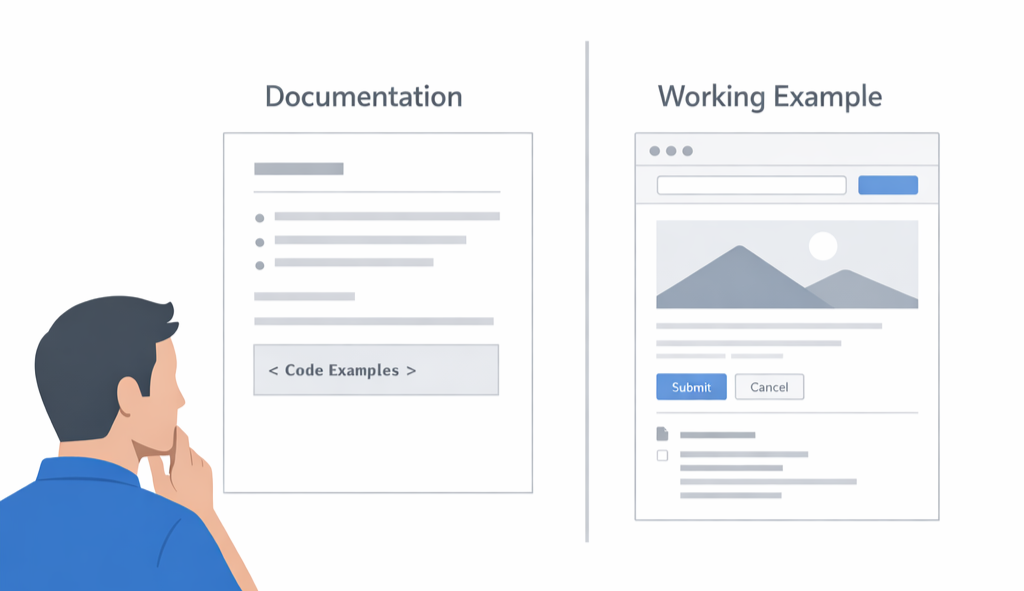
Use the Docs – and Validate with Working Examples
BillingPlatform’s documentation continues to expand, and BPUI components can be a great way to accelerate UI development while keeping experiences consistent with the core application. To get the most out of them – especially for less common use cases – we’ve found it valuable to pair the docs with hands-on exploration. Studying existing system widgets, testing components at runtime, and iterating quickly are all great ways to deepen your understanding and move fast with confidence.
In practice, I’ve found that the most reliable sources of truth are:
- Existing system widgets
- Trial and error
- Inspecting how components behave at runtime
That can take a bit of experimentation at first, but it also means you can make steady progress by iterating quickly and learning from real, working implementations. Treat the documentation as a guide, not a source of truth.
Understand the Data Model to Write Strong Queries
In one of my more complex widgets, I needed the widget to reference usage collector field mappings and product mappings. Initially I hardcoded some of this information, partly because this was how it was described by the user story I was working off. This mostly worked, but it was a fragile solution – any change to how the usage collectors were set up would require an associated change to this widget. That’s not ideal for long-term maintenance.
Luckily, all the information related to usage collectors can be queried within BillingPlatform, and by querying the usage collector data at runtime the widget automatically handles any changes to the usage setup. Understanding the data model for these background objects that most users will not directly interact with can be complicated, but it can be necessary for creating powerful solutions that will save those users’ time while avoiding time consuming updates in the future.
You can leverage BillingPlatform’s built-in Query Builder to write and test your queries and to explore what can be queried in the data model. The Query Builder includes some derived objects that don’t exist in the entities list in the settings menu, such as the Collector Field Mapping object I needed for my widget.
Final Thoughts
Widgets are one of the most effective ways to tailor BillingPlatform to your organization’s processes while keeping the experience integrated with the core product. If you start by learning from system widgets, lean on standard web development fundamentals, and use the Web Toolkit thoughtfully, you can deliver user-friendly enhancements that scale with the platform. If you’d like a sounding board on an approach – or want help accelerating a widget implementation – our team is happy to help.

Want to learn how BillingPlatform can work for your business? Get in touch – we can help.
Jack Abler
- RadixBay Consultant
- Salesforce Certified Platform Administrator
